License search your team can use without code.
RELD gives non-technical users a simple place to search by license number, person name, or business name while keeping the same normalized regulator data available to developers through the API.
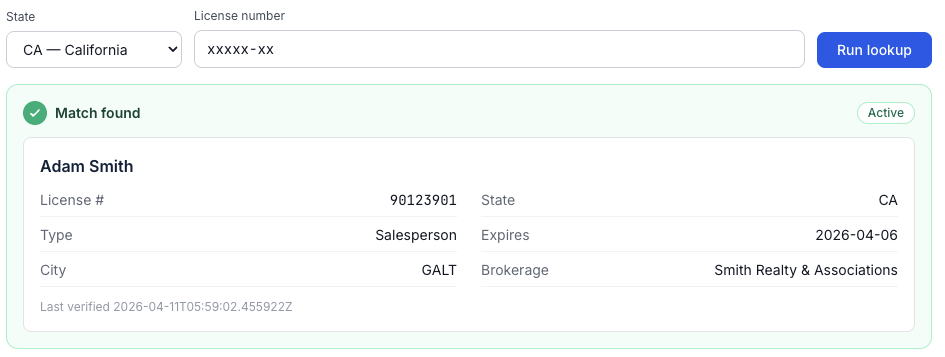
Example in-app license lookup. Powered by the same normalized regulator data available through the API.
Who it helps
Built for the people doing license checks
Not every license verification workflow starts with an engineering ticket. Some teams just need a reliable place to search.
One-off verification
Look up a license by state and license number, or search by person or business name when the exact number is not handy.
Onboarding checks
Confirm status, license type, expiration date, city, and brokerage details before adding an agent or broker to an internal workflow.
Compliance follow-up
Give operations teams a consistent place to review the same normalized fields your technical team can access through the API.
A focused lookup flow, not another state portal.
Staff choose a state, search by license number, person name, or business name, and review matched records in one consistent format. RELD handles the source-by-source data differences behind the scenes.
- No API setup required for basic lookup workflows
- Search by license number, person name, or business name
- Matched records include status, expiration, brokerage, and last verified
- Built on the same source-backed data as the RELD REST API
Give your team a simpler license lookup
Start free with RELD, then add API access when you are ready to automate the same workflow.